

For managers, shift leaders, and even those in executive positions, there are a number of responsibilities to deal with on a daily basis required for higher roles, while the staff members that work under you do typical tasks pertaining to their job role. Your business cannot run without the help of your staff and all of the work that they put in on a daily basis.
Digital signage is a great way to create content through a content management system (CMS) and post employee spotlights, recognitions, and other achievements that are worth pointing out. There are a ton of CMS platforms to choose from so it can be difficult to figure out which one would work best for your business specifically, along with a price range that is reasonable.
Yodeck is among one of the most notable CMS platforms that allows users to take advantage of some incredible features and templates to create content with, but will it work for you? Here’s more about Yodeck and its alternatives that you can check out for your employee recognition program!
Yodeck: A Digital Signage Platform With All the Necessities of a Typical CMS Plus More
Many businesses enjoy Yodeck and the features that it offers users when it comes to content creation and management!
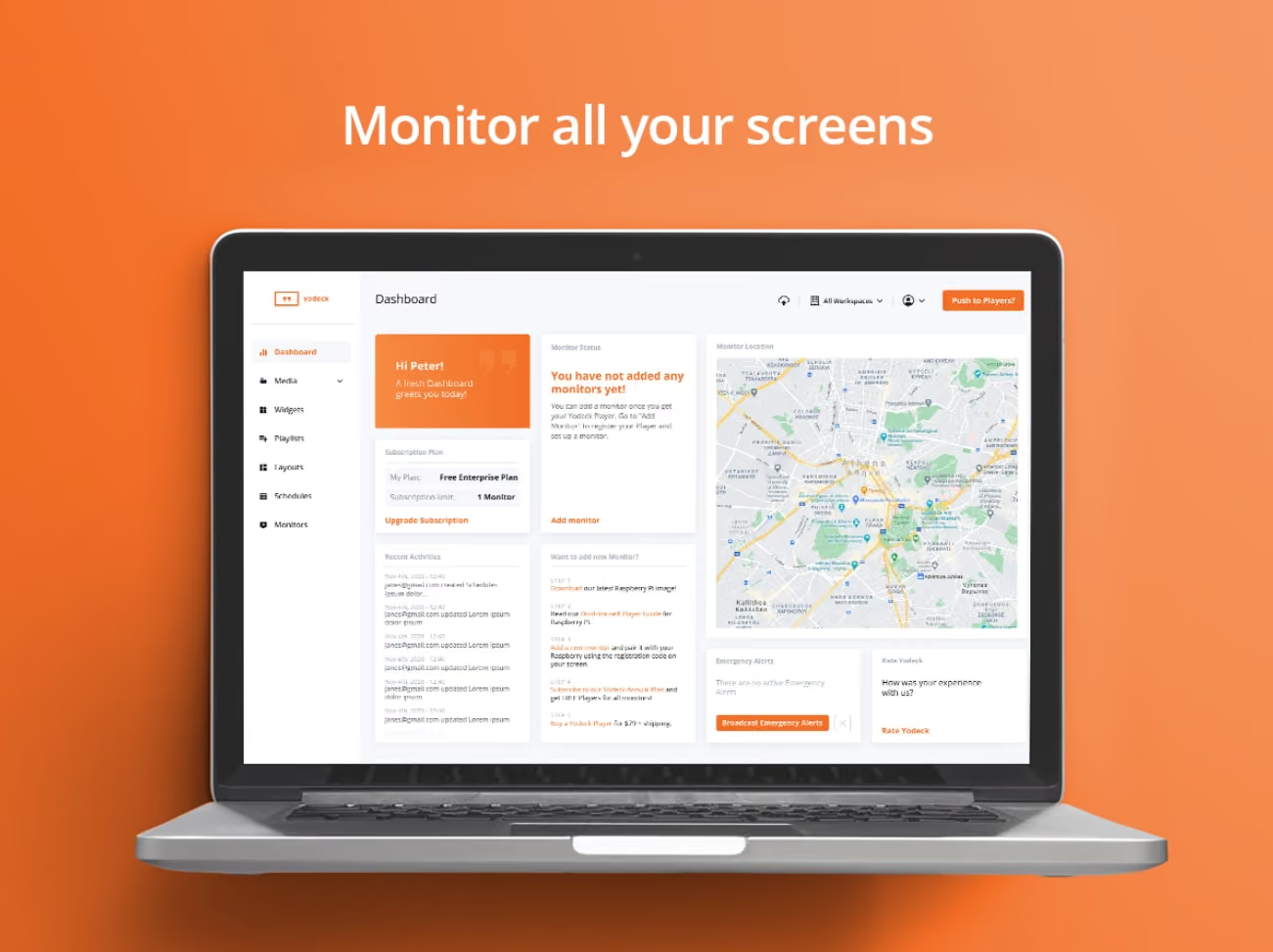
One of the biggest issues that people stumble upon when trying to find the best CMS platform is choosing something that is easy to use. Easy user interfaces and content creation is crucial for those looking to boost employee engagement and increase internal communications–and Yodeck is just that plus more.
Learning More About Yodeck
Yodeck is a popular CMS platform that provides just about everything that you need to hook up to digital signage and work towards engaging with your staff more. Specifically, Yodeck offers a cloud-based platform that is easy-to-use and involves no coding with its customizable templates, drag-and-drop scheduling, and even its remote management capabilities for juggling multiple screens with ease.
Being in full control of your displays is what Yodeck makes easy for those who are new to content creation and using a CMS platform. When it comes to creating content and managing other responsibilities through other applications–Yodeck has you covered too. Not only can you upload anything from images, videos, web pages, or playlist to Yodeck’s templates to create top-notch content your staff will engage with, but it has seamless integration among popular apps such as Asana and Canva.
For only $8 per month on a subscription with the CMS platform, Yodeck also ensures that all of your content and private information is kept safe at all times with its built-in security system that has encrypted data emissions.
Popular Features Included in Yodeck
When choosing Yodeck, there are a number of features that can help in creating dynamic content that can engage staff and boost productivity. Some of the most popular and important features that are listed include the following:
Breakdown of Yodeck Subscriptions
A reason why so many people love Yodeck is simply because of how affordable it is, even with all of the features that they have to offer. Yodeck has four different plans to choose from that can be renewed monthly, or you can save money and pay annually and you’ll even get a Yodeck media player–a Raspberry-Pi-based media player that is optimized to run your content on any digital signage screen.
Here is a complete breakdown of the Yodeck subscriptions and how much they’ll cost you:
Pros and Cons of Yodeck: Why it is One of the Most Popular CMS Platforms, But Also What it Could Do Better On
Choosing Yodeck is a great option for those beginning to get into creating digital signage content, but every platform has its pros and cons to be aware of!
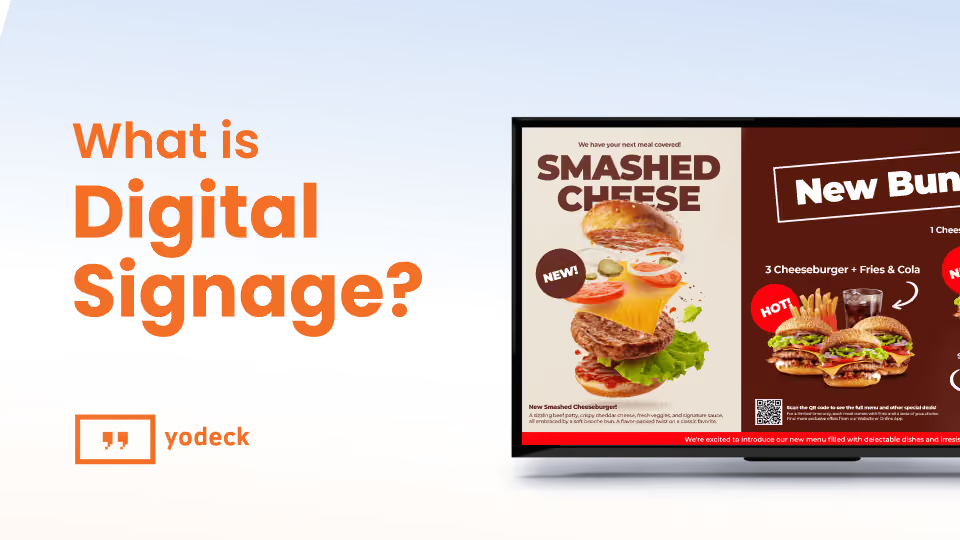
When choosing the best digital signage platform, Yodeck remains a top choice for many types of businesses. With easy content creation, affordable subscriptions, and a built-in security system, many people enjoy the benefits that Yodeck offers its users who are looking to boost employee engagement and productivity from their team. While Yodeck may be a top-rated option, it can still have its issues that users can have trouble with, so it’s important to go over the pros and cons before going all in and signing up for one of their subscription plans!
Pro: Top-Rated Remote Management Capabilities and Media Support
One of the top reasons why so many people enjoy Yodeck and all that it has to offer its customers is because of its remote management and media support. Many CMS platforms feature remote management, but nothing as reliable as what Yodeck has to offer such as monitoring or managing one or multiple screens from any device. It also allows users to use everything from images, audio files, video, and integrated apps to post live news, social media posts, and weather conditions for your area.
Con: No Mobile App Available
We know we said that Yodeck offers remote management on any device at any time, what we really mean is that you can only manage your content from a computer or tablet. Yodeck doesn’t offer any mobile applications to remotely manage or create simple content when you’re in a pinch. This requires you to always have access to a computer, tablet, and internet connection in certain instances, which can hinder on-the-go lifestyles that many managers have.
Pro: Affordable Subscriptions For Any Size Business
There are many reasons why people love Yodeck and one of the biggest reasons is because of its affordable subscription options that are available. Whether you have a small business and only need one screen–which would only require the free subscription–or you have a multi-store franchise, there are four different subscriptions to choose from where you can pay by month or annually at a low cost. For annual subscribers, you can receive a free Yodeck media player that is perfect for displaying your content and keeping it safe and secure.
Con: The Occasional Performance Delay
While it may not seem like such a big deal, there are many issues that some users have when it comes to performance using Yodeck. While the platform is highly known for its remote management and the ability to update your content at any time, there can be the occasional performance delay. To reflect the update in content, users may experience slight delays that could take a minute to fully load up–but for many, this is a minor issue.
The Top Yodeck Alternatives to Consider
Looking for a change from Yodeck? Here are some other highly-rated alternatives to check out!

When trying to find ways to better your team, digital signage can be the most immersive and interactive option there is–but finding the CMS platform that offers what your business needs is the first most important step to think about. Yodeck may work well for some businesses and industries, but for others another CMS application could be better.
Let’s check out some of the best alternatives to Yodeck to consider before signing up for a content creating subscription!
- Shift
One of the most popular CMS platforms to consider for a Yodeck alternative is Shift. The goal behind Shift is to create content that can help to boost employee engagement through the use of recognition spotlights for work achievements, milestones, or even anniversaries. With a ton of pre-made templates to choose from and remote management capabilities that can be edited, managed, or updated instantly using the exclusive Content Navigator.
- OptiSigns
For those looking for other affordable alternatives to a CMS platform that may offer even more than Yodeck is OptiSigns–best known for its interface that is perfect for beginners and the ability to seamlessly integrate with over one hundred applications you may use every day you’re working. OptiSigns allows users to manage live performance metrics and even implements the use of AI to create interactive content that staff can engage with by using QR codes, motion sensors, or cameras.
- ScreenCloud
Yodeck is known for its highly affordable subscriptions to create dynamic content, but ScreenCloud is another alternative with similar prices. ScreenCloud’s may be a bit more expensive than Yodeck–starting at $20 per screen per month–but they also have a ton of other features that Yodeck doesn’t have. For example, ScreenCloud Engage is included in all subscriptions and acts as a company-centric social media page for staff to engage with to get to know and even congratulate each other with.
- Rise Vision
Many people would think that it can’t get any cheaper to have full access to a CMS software application than Yodeck, but there is one more affordable option. Rise Vision is another popular alternative to Yodeck that is completely free to use and has access to tons of pre-made templates and useful tools to help make creating content even easier. It also has remote management to help with editing, managing, or uploading your content no matter where you’re at or when.
- Xibo
If you’re looking for a CMS platform you don’t have to download, you can also opt for an open-source, web-based option instead–like Xibo. Many users love Xibo because of its easy content creation, scheduling, and management with tons of different media formats–including pictures and videos–across multiple screens. It is also a CMS platform that can be used on anything and everything from Windows, macOS, and even Linux providing availability to any one of any business.

Choose a Yodeck Alternative to Create Content That Will Boost Company Morale and More
With so many options for choosing the best CMS platform, it can be difficult to choose something that fits your business needs. Doing your research and checking out all of the different options available is crucial–and while Yodeck is a highly-rated CMS platform, there are other alternatives to look into as well that may offer more features you need at a better price.
Consider choosing Shift–a popular Yodeck alternative–and transforming your staff into a more engaged and communicative group with the right CMS platform!







.avif)