

Safety has become one of the defining priorities for schools, districts, and universities. Administrators are no longer just planning for fire drills and severe weather; they're building comprehensive safety strategies that account for lockdowns, medical emergencies, visitor management, mental health crises, and everyday hazards like wet floors or construction zones. Communication is the focus of every one of these plans, because even the best-designed safety protocol fails if the right people don't receive the right information at the right time.
This is where digital signage has emerged as one of the most effective tools available to educational institutions, for both students and staff. Unlike static posters, printed handbooks, or email alerts that can go unread for hours, digital signage delivers information instantly, visually, and in the exact locations where people are already looking — hallways, cafeterias, gymnasiums, dorm lobbies, and classroom entryways. From a single elementary school to a sprawling university campus, digital signage networks are becoming a backbone of institutional safety communication.
Interested in seeing how this form of communication is essential for improving safety in educational settings? Keep reading, because we’ll be discussing:
- Why digital signage is so effective for safety in education at every level
- Examples of the kinds of content that elementary schools, secondary schools, and colleges/universities can use to keep their communities informed and protected
- The digital signage solution your educational community needs right now
Why Digital Signage Works for Safety in Education
Include digital signage to improve safety communication

It Delivers Information in Real Time
Traditional safety communication tools — laminated posters, printed newsletters, PA announcements — are static or fleeting. A poster about severe weather procedures might be accurate in September and outdated by January. A PA announcement is heard once and then forgotten. Digital signage solves both problems. Content can be updated instantly from a central dashboard, and because screens display information continuously, messages don't disappear the moment they're spoken.
During an active emergency, this real-time capability becomes critical. A district can push a lockdown notification to every screen on every campus within seconds, replacing whatever was previously displayed with clear, unmistakable instructions. When the threat has passed, the same system can broadcast an all-clear message just as quickly.
It Reaches People Who Won't Check Email or Apps
Not everyone in a school community checks email regularly, and not every visitor has a school's mobile app installed. Young students certainly don't have school-issued email accounts they monitor throughout the day. Digital signage prevents this problem entirely — it doesn't require anyone to opt in, log in, or check a device. If a person is standing in the hallway, cafeteria, or lobby, they see the message. This makes it one of the few communication channels that can reliably reach students, staff, and visitors simultaneously, regardless of age, tech access, or attentiveness.
It Standardizes Messaging Across Locations
Large districts and universities often struggle to keep messaging consistent across multiple buildings or campuses. Digital signage platforms allow safety officers to push a single, approved message to every screen at once, eliminating the risk of one building displaying outdated or conflicting information. This is especially valuable during emergencies, when consistency and clarity can prevent panic and confusion.
It Supports Both Everyday Safety and Emergency Response
Safety isn't only about emergencies. Digital signage is equally useful for everyday hazard awareness — wet floor warnings, construction detours, allergy alerts in cafeterias, or reminders about proper lab safety procedures. Because the same infrastructure handles both routine and emergency content, schools get more value out of their investment. The screens that remind students to wash their hands during flu season are the same screens that will display an evacuation route during a fire.
It's Visual, Which Improves Comprehension and Retention
Safety information is often complex — evacuation routes, multi-step procedures, or symbols indicating different threat levels. Visual communication (maps, icons, color-coded alerts, short video clips) is processed faster and retained longer than text alone. Digital signage allows schools to use maps with highlighted exit routes, animated instructions, or simple icon-based systems (a red screen for lockdown, a green screen for all-clear) that anyone, including young children or non-native English speakers, can understand at a glance.
It Integrates with Existing Safety Systems
Modern digital signage platforms can integrate with mass notification systems, weather alert services, fire alarm panels, and access control systems. This means a fire alarm activation or a National Weather Service warning can automatically trigger the correct signage content without anyone needing to manually update each screen. This automation reduces the burden on staff during high-stress situations and reduces the chance of human error or delay.
It's Cost-Effective at Scale
While there's an upfront investment in screens and software, digital signage networks are far cheaper to maintain over time than continually printing, laminating, and distributing physical safety materials across every classroom, hallway, and common area. A single content update reaches every screen in the network instantly, at no additional cost.
Digital Signage Content for Safety: Real World Examples by Education Level
Digital signage isn’t a one size fits all for the education industry, and curated content is easy to create

The specific content that works best varies significantly depending on the age of the audience and the layout of the institution. Below are examples tailored to elementary, secondary, and college environments.
Elementary School Examples
Young children respond best to simple, visual, and repetitive messaging. Safety content at this level should avoid dense text and instead rely on color, icons, characters, and short, clear phrases.
- Color-coded status screens: A simple system where green means "normal day," yellow means "shelter in place," and red means "lockdown," displayed prominently near entrances and in hallways.
- Animated safety mascots: Many elementary schools use a friendly character (a firefighter dog, a safety-minded owl) to walk students through what to do during a fire drill or severe weather drill, reinforcing lessons taught in the classroom.
- Visual evacuation maps: Simple building maps with a "You Are Here" marker and a bright arrow pointing toward the nearest exit, posted on screens near classroom doors.
- Daily safety reminders: Rotating messages about handwashing, playground rules, or "stranger danger" basics, especially useful during cold and flu season.
- Visitor check-in confirmations: A screen near the front office displaying a friendly welcome message that confirms a visitor has properly checked in, reinforcing the message to parents and guests that the building takes access control seriously.
- Weather-based dismissal alerts: Simple graphics indicating whether recess or dismissal procedures have changed due to weather, so both staff and any visiting parents immediately understand the plan.
Secondary School (Middle and High School) Examples
Teenagers can process more detailed information than younger children, and secondary schools often deal with a wider range of safety scenarios, including social and mental health concerns. Content can be more text-driven but should remain concise and scannable.
- Real-time emergency instructions: Clear, direct text such as "LOCKDOWN IN EFFECT — Move away from windows and doors. Await further instructions," displayed on every hallway and classroom screen.
- Mental health and crisis resources: Screens in common areas rotating information about school counselors, anonymous reporting tools (like tip lines), and warning signs of bullying or self-harm, paired with contact information for support.
- Drill schedules and safety education content: Reminders about upcoming fire, lockdown, or earthquake drills, along with short explainer videos on what students should expect and how to respond.
- Severe weather and transportation alerts: Real-time updates on bus delays, early dismissals, or shelter-in-place orders due to severe weather, integrated directly from local weather alert feeds.
- Anti-bullying and reporting campaigns: Rotating content that reinforces how to report bullying, harassment, or threats, often paired with QR codes linking to anonymous reporting apps.
- Campus access and visitor policy reminders: Screens near entrances reminding students not to prop open doors and reminding visitors of check-in requirements, supporting broader access control efforts.
- Substance abuse and vaping prevention messaging: Age-appropriate campaigns addressing risks and available support resources, often required as part of broader wellness initiatives.
College and University Examples
Higher education environments are larger, more decentralized, and often span multiple buildings, dorms, and even off-campus areas. Content needs to account for a more independent, mobile population, as well as a broader range of safety concerns including campus crime, mental health, and large-scale emergencies.
- Campus-wide emergency alerts: Integration with mass notification systems so that active threat alerts, weather emergencies, or hazardous material incidents appear instantly on screens in academic buildings, dining halls, libraries, and residence hall lobbies.
- Interactive campus safety maps: Touchscreen kiosks showing the locations of emergency call boxes, AEDs (automated external defibrillators), campus security offices, and well-lit walking routes for nighttime travel.
- Title IX and reporting resources: Rotating content in residence halls and student centers about how to report sexual assault or harassment, along with confidential resource contacts.
- Mental health and wellness campaigns: Screens promoting counseling services, crisis hotlines, and peer support programs, particularly important during high-stress periods like finals week.
- Active shooter and lockdown protocols: Short instructional videos or infographics reminding students of "Run, Hide, Fight" principles, displayed periodically in high-traffic areas as part of ongoing safety education.
- Fire and evacuation instructions specific to residence halls: Building-specific evacuation routes and assembly point information displayed in dorm lobbies and elevator landings.
- Weather and travel advisories: Real-time alerts about campus closures, road conditions, or severe weather, especially valuable for commuter students and those living off campus.
- Lab and research facility safety protocols: Reminders about proper handling of chemicals, biohazards, or equipment in academic buildings that house science and engineering labs.
- Event and large-gathering safety information: Temporary signage for sporting events, concerts, or commencement ceremonies, including entry procedures, prohibited items, and emergency exit locations.
- Campus security contact and escort services: Persistent, easy-to-find information about how to reach campus police or request a safety escort, especially near parking structures and less-trafficked walkways.

Implementation Considerations
Regardless of the education level, a few best practices apply broadly. Institutions should ensure their digital signage system integrates with mass notification and emergency alert platforms so that critical messages can override regular content automatically. Screens should be placed in high-traffic, highly visible locations — entrances, hallways, cafeterias, and lobbies — rather than tucked away in low-visibility areas.
Content should be reviewed regularly to ensure information stays current, and schools should have a clear governance process determining who has authority to push emergency messages. Finally, redundancy matters: digital signage should complement, not replace, other communication channels like PA systems, text alerts, and email, so that if one system fails, others can still reach the community.
Trust Shift for Digital Signage for Safety in the Education Industry
When you need content that’s made for the education industry, you go with Shift
Shift is your one stop shop when it comes to digital signage that focuses on keeping students and staff informed. Our platform makes it easy to communicate all kinds of information that students need to stay safe. The plug and play design, multiple templates, and easy to use Content Navigator ensure that anyone can get a digital signage campaign started—no IT department required! There are all kinds of ways to use Shift that can benefit both students attending class as well as staff, administrators, and visitors:
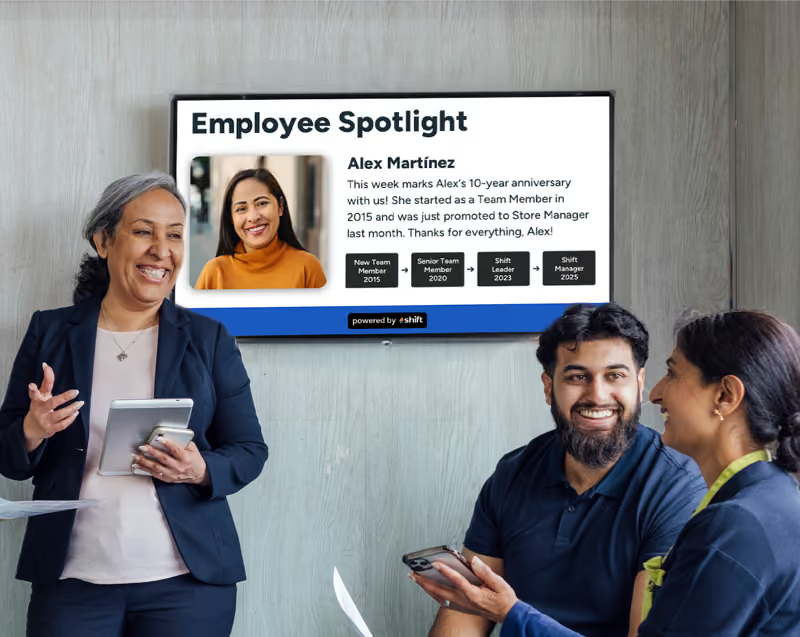
- Employee or student recognition through spotlights, work anniversaries, achievements, and birthdays
- Access to training materials and quick refreshers for staff
- Assisting with onboarding of staff
- Wayfinding throughout the school or campus
- Internal company communications specifically for the student body or staff
- Posting safety or emergency alerts
- Surveys for staff through QR codes
- Real-time information like class and scheduling changes
- Dining hall menus
- Campus-wide events
- Sports and club information for students
Digital signage has moved well beyond its origins as a tool for cafeteria menus and event announcements. Today, it plays a central role in how educational institutions protect their communities, offering real-time, visual, and consistent communication that reaches students, staff, and visitors regardless of age or device access. As safety expectations in education continue to rise, institutions that invest in robust, well-integrated digital signage networks will be better equipped to keep their communities both informed and protected.