
By Theresa Bontempo
No matter if you’re just starting your very own business or you’re on a marketing and advertising team for a company you love, there is always room to create new content to promote your brand. Creating content–no matter if its images, videos, or logos–managing and distributing it, and eventually archiving makes up the usual process of content creation for any business. But finding a reliable, centralized hub for all staff to access it can be difficult.
Luckily, there are a ton of useful software applications, such as digital asset management systems (or DAM for short!) that can help with the multiple steps it takes to create content and publish it on the company website, or post on social media. Not only is it an easy way to store content, but it can allow all employees to have access to it without having to dig through shared files and folders.
Let’s learn more about digital asset management systems, how they help improve functionality and develop organization in the world of content creation to boost a business’s mission, sales, or employee engagement!
Discover DAM Systems: What They Are, What They Do, and How They Can Improve Organization For Any Business
DAMs are a useful tool to have with content creation and organizing it, but there is so much more that it can offer!

Creating content for a business is crucial to boost sales and attract new customers to purchase services and products. Image courtesy of Plann.
Managing all of your business’s content and allowing staff to access it using an unreliable source that is difficult to navigate is an issue that is a pain to deal with. Instead of sifting through piles of folders and trying to type in what you believe the name of the project is, a digital asset management system can help organize your content better and allow staff to access it easily to update, modify, and publish.
A Breakdown of a DAM
If your company is looking for a better way to store all of your business content in one place, then a digital asset management (DAM) system is your best option. A DAM system makes it so much easier for managers and staff to access and store business content by acting as a centralized hub where everything is all located in one place. Not only does it make it easier to find, but content can be created using templates–which can be everything from pictures, videos, audio files, and even logos–and then managed, distributed, and archived to go back to when needed.
This is a top system to use and store all of your brand’s assets, as it can make them much easier to find–especially for marketing, advertising, and HR teams–and many DAMs feature different search tools to make content easier to find. From advanced searching and metadata tagging, it helps to save time and get to work on promoting any business and updating content that much easier.
What Specific Features Make DAM a Better Method to Store Content?
DAM is a unique system to use because of its better ways of storing content, along with creating, modifying, publishing, and archiving it for later purposes. All digital files can be stored here and it helps to prevent them from becoming lost in a sea of folders and tabs. They also feature improved search tactics with automated tagging, metadata tagging, and different categories that can be created to easily find types of content or to organize it by files.
These unique organization features help to streamline a more efficient workflow by allowing staff to easily find the files and content they’re looking for, reduces time wasted searching for them, and leads to an increase in productivity. It even helps to automate asset approval, helps repurpose content, and eventually distribute it.
Is Using a DAM System More Secure?
Another reason why many companies are making the switch to a DAM system is not only because of its storing and creation of content, but for its security too. DAM systems are a much safer option to keep your company’s files, content, and other documents secured compared to storing them on a desktop or shared drives. Not only is there built-in encryption, but they also have other safety measures such as encryption, audit trails, automatic backups, and user permissions to ensure that only specific individuals are able to access it.
It is also much safer than using a company email to send files back and forth where it could potentially be hacked, get lost, or be stuck on an individual’s computer. Instead the DAM is a hub that everyone can safely and securely have access to.
How DAM Can Boost Digital Signage Visuals in the Workplace
Digital signage can have a huge impact on any business compared to traditional poster boards, and a DAM system can help!

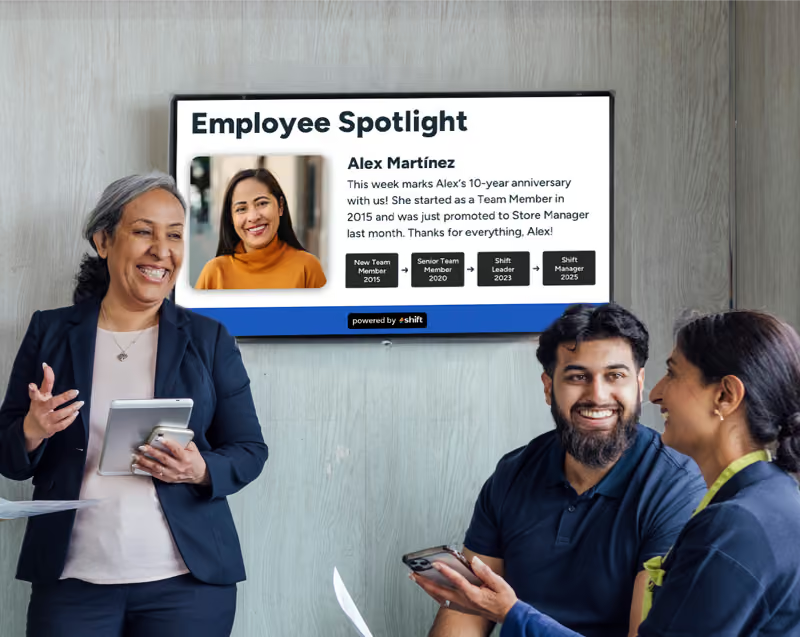
Digital signage can help with employee spotlights, company announcements, or be a useful tool to navigate confusing buildings. Image courtesy of Shift.
DAM systems are a great way to organize your content, but what about when you add digital signage to the mix? Digital signage is a bright and effective way to showcase company announcements, emergency alerts, employee spotlights, navigation purposes, and to display menus and sales in different industries. DAM and digital signage combined is unstoppable and can help to streamline workflow for staff, among many other benefits.
More Engagement With Staff and Customers
A big reason why digital signage is popular to use in many deskless industries is because of its eye-popping presentation that is hard to miss. Digital signage helps to give content a larger, more noticeable platform than traditional poster board or bulletin board signs and a DAM system can help to enhance content to customers. A DAM system can help to easily deliver content to specific screens or locations and can be updated in real-time to reflect any changes in sales, promotions, or deals for customers. With eye-popping visuals, it can help to catch the attention of customers to promote new products, or convince them to make a big purchase with a deal they can’t pass up.
DAM systems can also post content to digital signage specifically for employees too. Instead of bland emails, important content can instead be displayed on digital signage to showcase information, announcements, and deadlines that staff should be aware of–and on a screen as big and bright as digital signage, it can be hard to miss!
Streamline Workflow in a Much More Efficient Way
Pertaining to staff, DAM systems work to help streamline workflows to make staff more productive and work efficiently with an organized system for all of the company’s content. Instead of struggling to find specific company assets and content located in a wide range of files on a shared drive, everything is located on a DAM system where you can build and customize workflows depending on which staff are on which project. DAM systems help to enhance the creativeness that goes into content by allowing staff to brainstorm new ideas, produce new or modify old content, review and approve it, then send it off to distribute it onto digital signage.
Supports Brand Consistency
Brand consistency is key for any type of content for any type of business, no matter what staff member is working on it. Instead of files being scattered from one staff member’s computer to the next, a DAM system can help to organize and ensure that all staff are staying on-brand with content creation, and its proofing, final review, and approval capabilities can help catch any mistakes before it goes out.
Add Target Playlists For Specific Audiences
Another reason why DAM systems can help transform digital signage is because of its target playlists where you can add content to different lists for further organization. Whether you have one that is for your target audience–employees or customers–, seasonal content, location (perfect if there your business has multiple locations!), or even one for the time of the day, these playlists allow you to further organize your content and select when you want to switch content out on a digital signage screen. With real-time edits, staff can easily go in and edit a piece of content if there is a new promotion or company alert that can be displayed in a matter of minutes.
What is Shift? A Content Management System Perfect For Engaging Staff–and to be Paired With Digital Signage!
Content management systems are a great way to create, manage, and publish digital content, and Shift is a top option on the market!
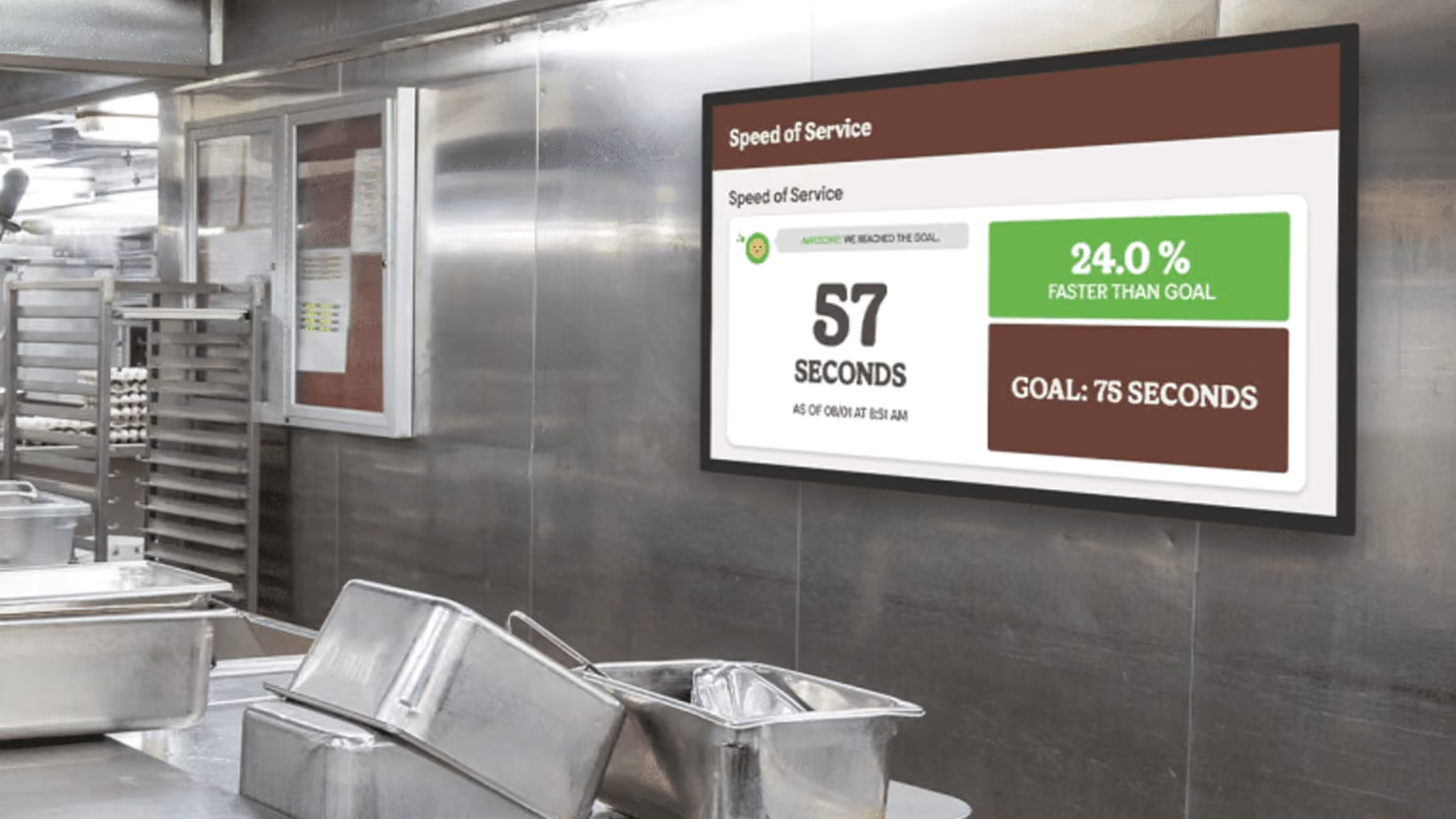
Shift is a top CMS software application to manage your content, engage staff, and pair it with digital signage to create eye-popping signs. Image courtesy of Shift.
DAM and CMS software applications are very similar to one another, and it can be difficult to find the best one that is user-friendly and works well for the type of business you own. Shift–a popular CMS–is a great option thanks to its user-friendly interface, content creation, and real-time updates that can be applied at any time to display on digital signage. Not only that, but the platform aims to make it a method to bring managers and staff closer together through engagement and recognition.
What is Shift?
With so many different types of CMS software applications available, it can be difficult trying to find one with an interface that can be navigated easily, organizes your content, and even can motivate staff through engagement. Shift is a top option for CMS that can do a number of things, but their main goal is to develop deeper connections with staff and recognize them for their productivity and hard work.
Shift can easily be paired with digital signage on a LED/LCD screen or monitor where content can be displayed in an orderly fashion. Whether you’re showing a slideshow of current employee achievements and work anniversaries, have a map to navigate the different departments in the building, or you’re simply using it as a more efficient way to alert staff of any new company announcements, policy changes, or emergency alerts, Shift can do it all and with convenient real-time updates anytime, anywhere!
Unique Features Shift Has to Benefit Your Business
Shift can do so much more than just simply be a creative outlet for company alerts and updates using digital signage. This is a great tool to use for deskless industries, such as the restaurant, construction, retail, hospitality, manufacturing, and even for transportation industries where staff may not be checking their email or even have one.
For those businesses where staff aren’t sitting behind a desk and are always on-the-go, Shift paired with digital signage can be a great option because of their many unique features. Shift’s features are as follows:
- Boost employee engagement through recognition and appreciation
- Celebrate staff birthdays, work anniversaries, and other achievements
- Show training videos
- Employee spotlights
- Interactive polls for staff to anonymously complete
- Expands internal communications
- Allows staff to retrain and re-skill in key trainings
- Helps leaders learn more about staff
- Encourages employees to do work harder
- Increases productivity
Stop the Chaos–Use a DAM to Completely Reinvent How You Do Content Management For Your Business
Organizing your content shouldn’t be as difficult as you’re making it out to be. Instead of worrying about shared drives getting hacked, staff leaving projects on their personal computers with no access to them, or simply not being able to find files from the past, use a DAM instead. With a DAM system, organizing, creating, and uploading content has never been easier, and it allows for a sense of security and easy access to all staff members at any time.
Consider signing up for Shift’s CMS software application or look into a DAM system to help organize your business’s assets and content!