
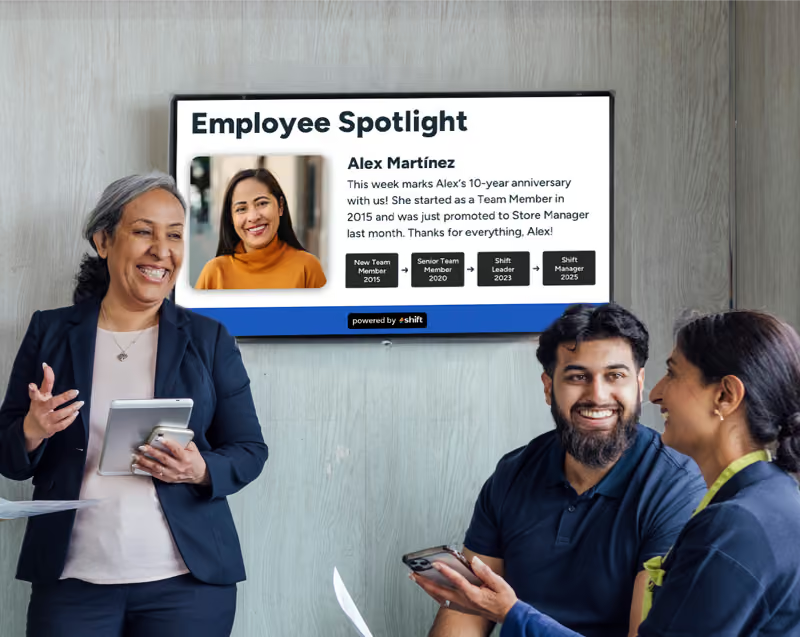
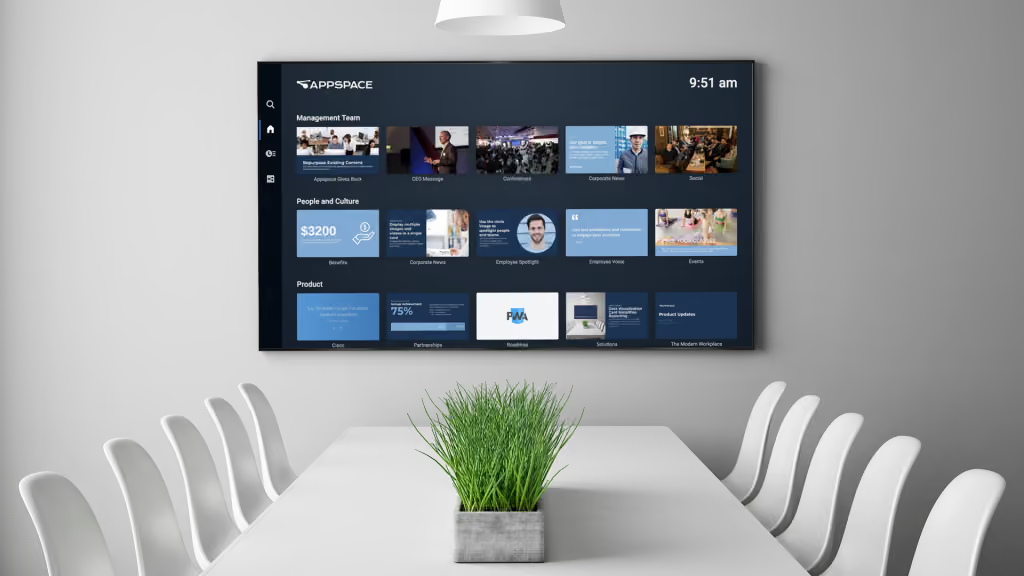
Finding new methods and tactics to get your staff more involved in everyday work, projects, and other essential duties can be done in a few different ways, but one of the most influential is through the use of digital signage. Digital signage has a way of being more eye-catching and colorful compared to traditional posters or an outdated bulletin board–plus there is so much more that can be done with them to up employee engagement and productivity.
Digital signage is only one portion of the road to retaining staff and boosting engagement–the other half is finding the best content management system (CMS). A CMS software application helps in the creation of content to make employees spotlight, streamline daily operations, and even increase internal communications–and Appspace seems to be one that many people seek out.
Let’s get to know more about Appspace, its pros and cons, and even other alternatives to see if it meets your company’s needs for content management and digital signage!
What is Appspace?
A deep dive into this popular cloud-based platform that connects content creation with workplace management!
Appspace is a popular CMS software application that has a unique integration tool, plus can be paired with digital signage. Image courtesy of Appspace.
There are a ton of CMS software applications out there to create content with and pair alongside digital signage in hopes of changing the morale and dynamic of your team. From boosting engagement, recognizing staff more often, navigation, or even to post the day’s key performance indicators, there are a number of different ways to use a CMS platform. Appspace is a popular option that many businesses implement in their daily operations.
What is Appspace?
First thing’s first–it’s important to know what Appspace is. It’s a cloud-based workplace platform that can connect not only employees, but also physical workplaces and be paired and integrated with both digital signage and other resources.
Appspace offers an enhanced employee experience that can be shared with all of the staff as a whole. Managers can organize their entire workplace right from the cloud-based platform such as booking desks, meeting rooms, parking spots, and it makes it a great place for all staff to congregate and combine both physical and digital workspaces for easy internal communications that works better than email or text messaging.
Since its start in 2002, it has helped to bring managers and employees together to build stronger bonds through the use of digital signage to connect and communicate with each other. When the COVID-19 pandemic hit in 2020, Appspace expanded to include visitor management, space reservations, and created an employee app with an easy-to-use interface that is perfect for internal communication, engagement, and updates for company news. It’s one of the best CMS software applications to use when combining both in-person and remote teams together to work seamlessly together.
What Types of Industries, Companies, or Departments Use Appspace?
There are a number of different people that use Appspace for their daily operations to organize staff responsibilities, to help control physical, hybrid, or fully remote workplaces and teams, and even to help certain industries operate smoother. Digital signage is great for deskless job industries where employees don’t have a login and email on a computer, but it is also great for different teams to use.
Here is a list of the following industries, teams, and needs that many managers seek Appspace out for:
What Makes Appspace Unique Compared to Other CMS Software Applications?
Many people often wonder what makes Appspace so unique compared to other CMS software applications–and it’s mainly for its built-in AI and automation. Appspace can help to create content with AI that aims to directly assist you with content creation, translation, scheduling—reducing much of the manual work that managers or specific teams are often tasked to complete.
Appspace can also bridge and seamlessly work with digital signage and integrate with other popular tools that many businesses use on a daily basis. Some of the most popular tools that Appspace can integrate itself with includes Microsoft Teams, Office 365, Slack, and Cisco Webex.
Pros and Cons of Appspace: What You Need to Know Before You Buy
Appspace can be a great investment for many businesses, but it’s important to get a comparison of what people like and don’t like first!
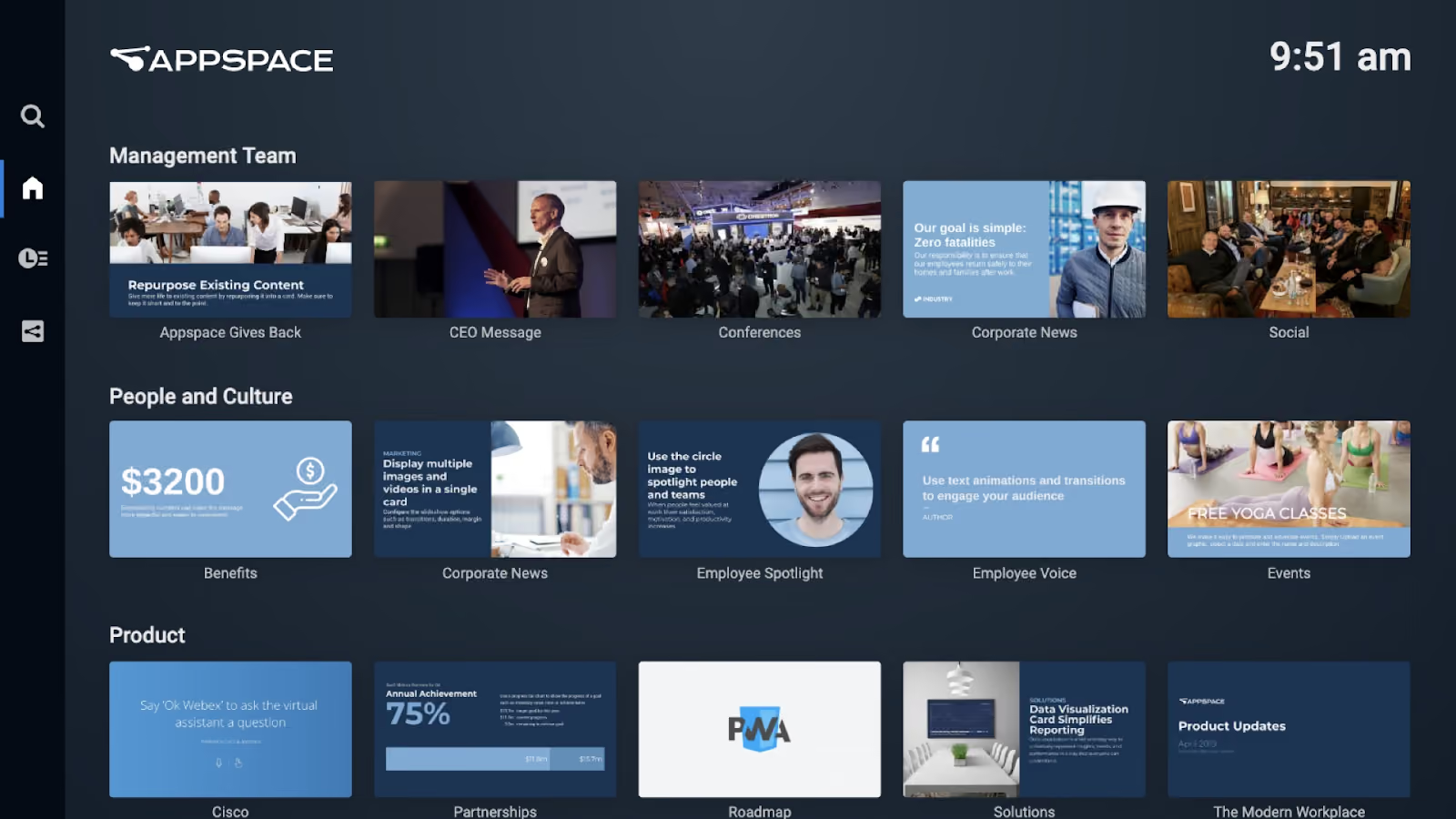
Appspace is a unique tool to help boost internal communications and productivity, but there are pros and cons to know about before signing up. Image courtesy of Appspace.
Finding the best CMS software application can be tricky, but Appspace has been a popular option since the early 2000s that has only expanded to help businesses with both physical and remote teams handle internal communication. With any great cloud-based content creation platform, there are pros and cons, so it’s important to address what many users love about Appspace and what others think could be improved.
Pro: Seamless Integration to Other Useful Tools
A reason why so many people love Appspace is simply because of its ability to integrate with other popular tools that can also be used through digital signage to create dynamic and eye-catching content. Many businesses that use Microsoft Outlook Email love how it allows users to book resources–such as rooms, desks, and other workspaces–directly from the calendar without having to switch from one application to the next. It can also connect to Microsoft Teams, Zoom, Slack, Google Workspace, and even Instagram to keep everything in one centralized hub.
Con: Complex Interface For Beginners
Many people who have learned the ways of Appspace have grown to love it and the capabilities that it can provide to many people in terms of content creation, editing, and publishing posts, but there is a bit of a learning curve. Many consider it to have outdated features and a clunky workflow, along with confusion when organizing content folders to ensure a seamless workflow. Many have learned that figuring out how to use the program first helped them to achieve success with it within their business.
Pro: A Hit Among Companies That Thrive Off of Hybrid Workloads/Teams
Since the pandemic, many companies have found use in the hybrid work lifestyle, allowing staff to be part-time in the office and work the rest of their days at home. Overall, this helps with flexibility, promotes work/life balance, and reduces time and costs of commuting to and from work–and Appspace has been a huge hit for these types of teams. Appspace offers both app or web usage with an enhanced employee experience for those who work the hybrid lifestyle. It’s both modern and customizable and allows staff to use their tools all in one workplace.
Con: Paid Plans Only
Going back to the previous con, there is a large learning curve when it comes to using Appspace–and there’s no free trial to give it a go and learn the ins and outs of it. While they offer a limited “Appspace Lite” version for specific hardware, it doesn’t last long. Paid plans start around $4 for one user per month, but to add more devices, it can cost up to $42 per device.
This can be an issue for companies that are looking to implement digital signage and the perks of employee engagement without breaking the bank–espeically if they are first starting out or want to try something new.
Other Alternatives to Appspace: Learn the Other Options Out There to Enhance Your Digital Signage Content
Learn more about some of the other options for CMS software applications to increase work morale and engagement!

Digital signage can make a huge difference in how your staff perform throughout their shift by boosting employee engagement and productivity.
Appspace has proven to be a reliable CMS software application that hits all of the points that managers are looking for to boost internal communications and help increase employee morale. Not only is there Appspace to choose from, but there are many other CMS applications to choose from with tons of unique features that can benefit other employers.
It’s important to keep your options open when trying to find the best CMS to pair with your digital signage, so here are some other top alternatives to Appspace!
1. Shift
One of the most popular CMS software applications that is dedicated to deepening relationships with managers and staff is Shift. Paired with digital signage, Shift can help create incredible content that can help to keep staff engaged on company news and updates, boost productivity, and it helps put emphasis on employee spotlights through recognition. Compared to Appspace, Shift has an user-friendly interface that is perfect for those who are just getting into CMS as there are pre-made templates to create content. It even features remote management to create, edit, and upload content whenever and on whatever device you own.
2. OptiSigns
The next best alternative that is perfect for those looking for an alternative to Appspace that is also easier to use is OptiSigns. What makes OptiSigns so unique from many other CMS software applications is its ability to be transparent with its use of a live dashboard and performance metrics–which is perfect for industrial and manufacturing industries. OptiSigns is also all about immersive content with the use of QR codes, AI cameras, and motion sensors to trigger specific content and also gather audience analytics.
3. Yodeck
Another great option to consider is Yodeck and many people love their use of a centralized hub that can combine your content creation with all of your tools and applications. Common apps that many managers use alongside Yodeck are Canva and Asana–as it makes it convenient to integrate and juggle many apps all in one place. This CMS application also offers an easy-to-use interface with free templates, stock images, and a drag-and-drop editor for easy content creation.
4. ScreenCloud
Many industries throughout the United States are deskless, meaning that many staff don’t have to come in, sit at a desk, sift through emails, or do any other type of desk work. ScreenCloud is another useful alternative to Appspace that many users say is easy to use and it helps industries that are looking for a centralized hub for staff who don’t have access to email. This helps to increase internal communications, plus there is a ScreenCloud Engage tool that can help to foster engagement with staff and create a sense of belonging in industries where it can be more difficult.
5. Poppulo
If you’re looking for a CMS software application that can help with brand awareness, then Poppulo may be the perfect option for you. Poppulo can do a number of things with its AI-powered analytics, email and campaign tracking, and it even has interactive digital signage capabilities to engage with staff further and boost recognition and productivity.
Expand your Business With the Use of Digital Signage–No Matter if Your Use Appspace or Another Alternative
Digital signage is making its rounds in many different industries throughout the United States, since it makes it easier to interact with and develop deeper relationships between managers and staff. Appspace allows users to create immersive and dynamic content that can boost employee engagement, update staff on company news and updates, and even to get staff to interact and provide feedback through surveys.
Looking to boost company morale and sales within your business? Consider using Appspace or other alternatives–such as Shift–to get your digital signage journey started!