
When thinking about ways to improve your business, there are many options to consider. Whether it’s having employee appreciation days, company events to highlight employees for their hard work, or even to provide staff with a free lunch, it’s important to pay attention to your staff members and how they’re doing. With the advancement of technology, sometimes implementing it in your business is one of the best ways to keep staff happier and noticed–such as the use of digital signage.
Many companies–especially deskless ones–can help to improve overall company morale and are used for both staff and customers. Whether it’s creating eye-intriguing menus or interactive kiosks for customers to order off of, a navigation system in a confusing hospital, or even staff achievements and posting live key performance indicators, a content management system paired with digital signage can make all the difference.
Let’s learn more about a specific CMS platform–Samsung VXT–and go into detail about other alternatives that are available as well!
Samsung VXT: What it is and What Makes it a Unique CMS Platform
A CMS platform is where the magic of content creation begins, and Samsung VXT has a ton of notable features that make it popular!
Samsung VXT is an incredible CMS platform that allows users full creativity to create unique content for their customers or staff. Image courtesy of Samsung VXT.
Creating content should be simple and beginner-friendly for those looking to use it in everyday instances within their company. Content creation can help in engaging employees, providing live, crucial updates throughout the day, or it can be used to help interact with customers. No matter how you use it, Samsung VXT is a popular CMS software application perfect for those dipping their toes into the world of content creation and changing their business for the better.
A Little More About Samsung VXT
There’s one thing that is for sure, and it’s that there are too many CMS platforms to choose from–or others that work better for one type of industry over another. Samsung VXT is a unique CMS software application that is a cloud-native, all-in-one digital signage platform that does everything from help you to create content, edit it, schedule, and publish what you create right from your fingertips. It is also used without an external media player where users can directly send content to their displays, making the process even easier and more beginner-friendly.
Samsung VXT was designed for easy installation and content management, with an easy interface with drag-and-drop tools and the ability to manage everything remotely as well. Its mission is to allow users to spend less time learning how to use their interface and instead create immersive content that can help to boost company morale, employee engagement, and improve internal communications.
Samsung VXT is a useful CMS platform that many industries can also benefit from. It works great for many deskless industries whose staff are busy on the floor and either not checking their email for updates all throughout the day–or maybe don’t have an email at all. Some of the best industries that Samsung VXT works great for include the following:
- Corporate environments
- Retail
- Restaurants
- Hospitality
- Healthcare
- Education
Samsung VXT’s Unique Features
While many people may not know about Samsung VXT, there are many reasons to use it. The features that they offer can help to benefit multiple businesses and its beginner-friendly interface helps make content creation easy to do to change the course of their business and staff.
With many incredible features to offer, Samsung VXT offers the following to its customers to enhance their content creation:
- Merges both the CMS and remote management in one cloud-based platform
- Six-digit pairing code needed for easy and simple setup
- Control and monitor all content from the dashboard (on one screen or multiple)
- “Early Warning” system in place to alert users of monitor issues, such as overheating or instability of internet connection
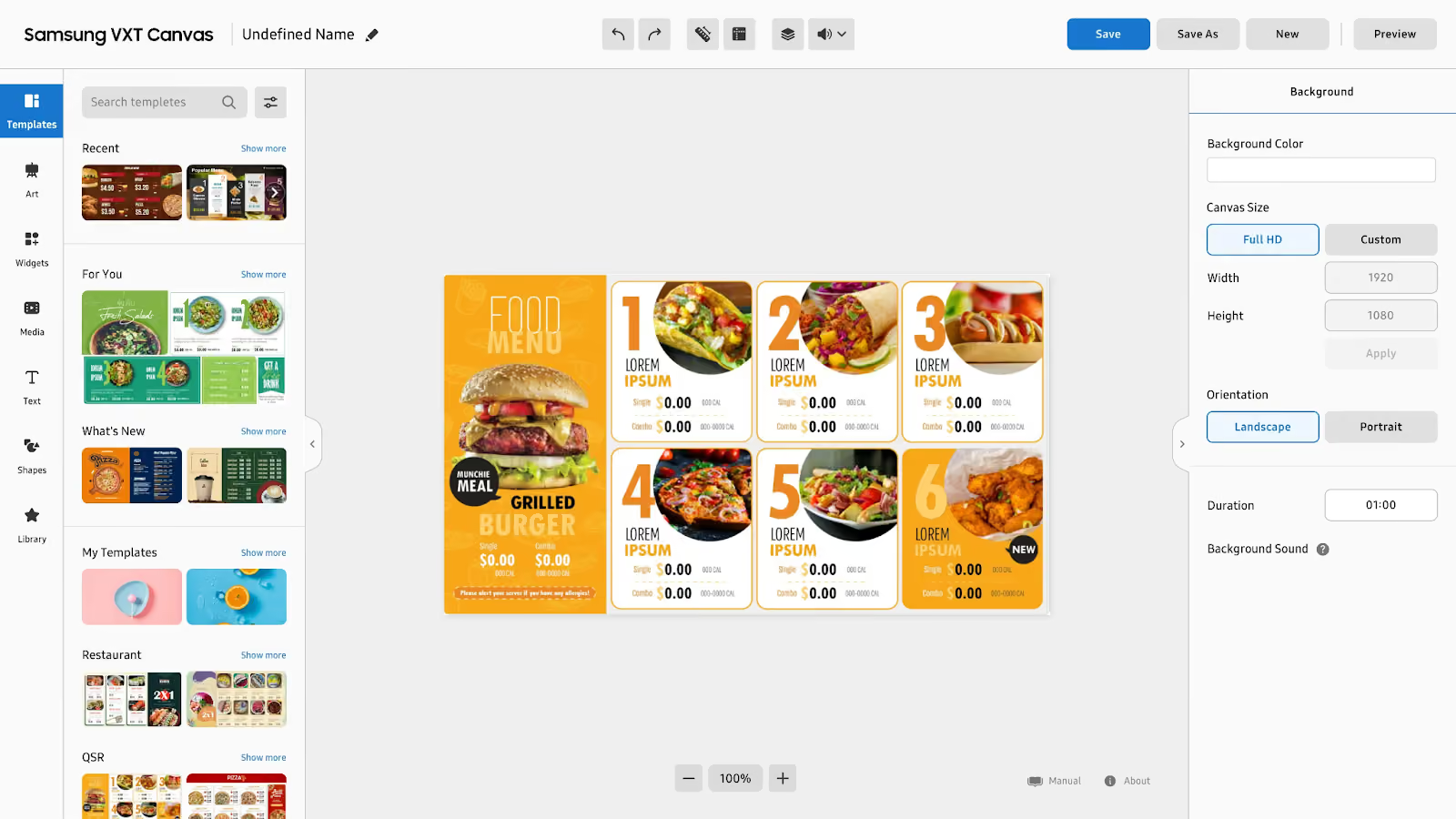
- VXT Canvas is built-in to help to create content within the platform using everything from templates, images, and different widgets
- Ensures content is synchronized to reflect all monitors to prevent laggy playback
- Can integrate with other useful applications–such as VXT Art–to gain access to third-party content feeds for the weather, news, and even display art
- Advanced screen control and security to prevent unauthorized user access, lock USB ports, and even see previews of what your content before uploading to digital signage
- Beginner-friendly interface with drag-and-drop editor to use pictures, videos, or audio for easy content creation practices
Pros and Cons of Samsung VXT: What Current Users Love and Wish Was a Bit Better
Every CMS has pros and cons to using their platform, and these are what many rave about and wish was a bit better with Samsung VXT!
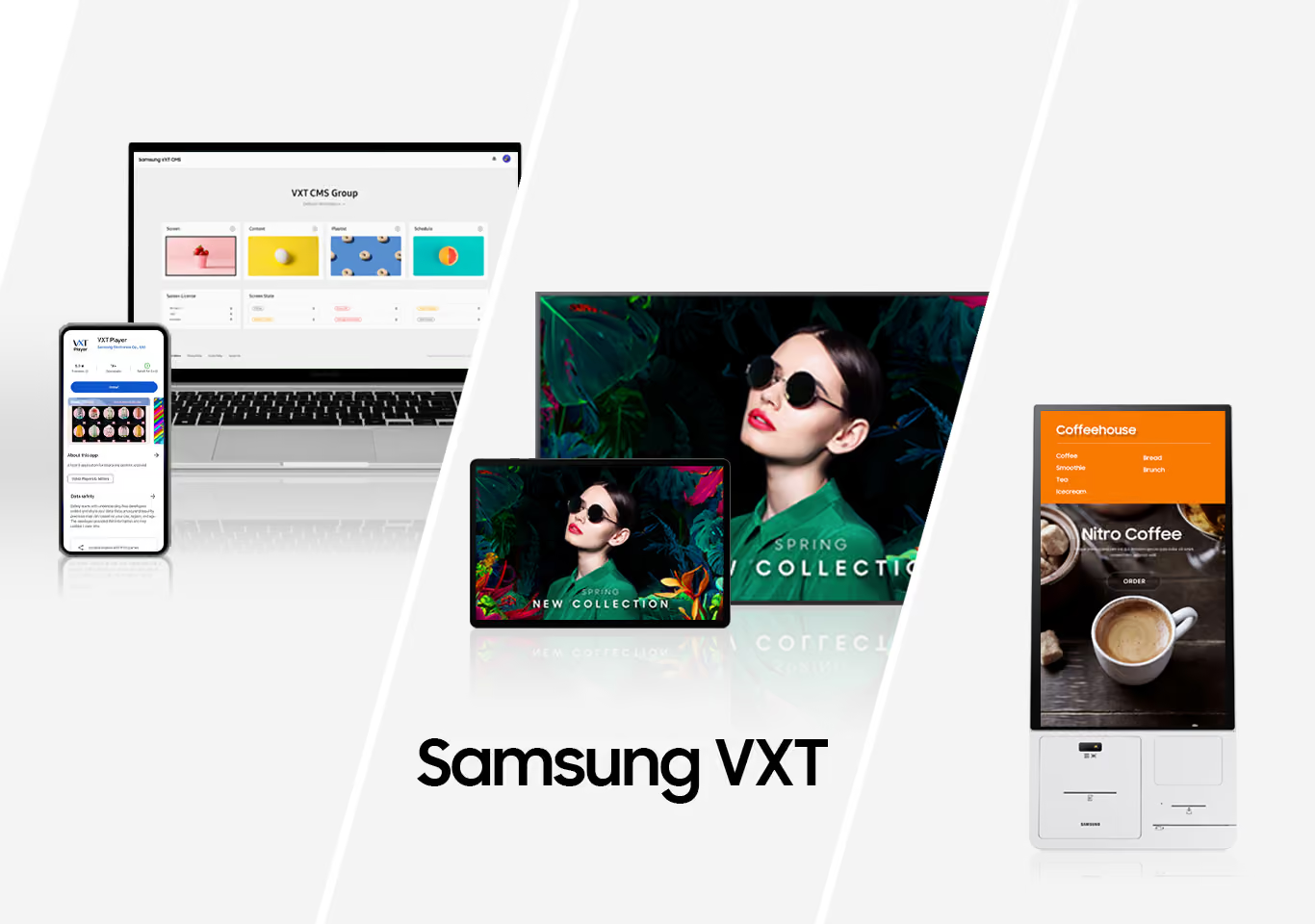
Samsung VXT is a popular CMS platform that can help users create content for the customers that visit their business or improve staff morale. Image courtesy of Samsung Newsroom.
When choosing a CMS platform for your business, it should be something that everybody can have access to and easily create content with. Samsung VXT seems to be just that–with an easy-to-use interface that is perfect for a multitude of industries to create immersive content staff can interact with and benefit from.
Samsung VXT is an incredible CMS platform to use that also comes with its pros and cons that are important to know before purchasing!
Pro: Easy to Use With Many Content Creation Tools
The biggest pro that many customers rave about is how easy Samsung VXT is to use–especially for those who are new to using a CMS platform without the need of knowing how to code. Samsung VXT provides users with a unique drag-and-drop editor to upload their own videos, images, or audio, along with providing pre-made templates and designs to make content creation easier than ever.
Con: High Subscription Cost That Only Increase With Adding More Screens
When it comes to purchasing a CMS platform, there can potentially be a subscription cost that comes with it. While many platforms aim to make their CMS affordable for everyone who is looking to enhance their business by bringing in more customers or improving company morale, Samsung VXT tends to run a bit high in subscription prices. Samsung VXT offers a free trial to get a feel for their program and how easy it is to create content, but once it is up the cost is $200 per screen every year–and this is for their standard CMS package. They also offer VXT Pro which includes more specialized licenses which can be around $647 per year.
Pro: Remote Management Capabilities and Seamless Integration
Another reason why so many people love what Samsung VXT has to offer is for its remote management capabilities. No matter where you are, you can control what is shown on your screens with features such as remote troubleshooting, screen management, and update content even when you’re not on-site. This CMS platform is also optimized for Samsung Tizen-based displays, which makes pairing easier and makes displaying your content quicker and easier than ever before.
Con: Issues with the Samsung VXT Phone App
Samsung VXT prides themselves in offering easy, remote management to create, edit, manage, and publish your content anywhere at any time. They even have a phone application that you can download to easily switch what is presented on your screens, but there are many issues that users have with it. From missing features that the web version offers to the phone app simply lacking in user-friendliness, many opt for working either on-site or using the web-version–which can sometimes not be as easy for those who are on-the-go or want to make a quick update.
Samsung VXT Alternatives: Other CMS Platforms That Business Owners Opt For
Finding the best CMS platform for your business is crucial, and these options outshine Samsung VXT!

While Samsung VXT is a great CMS platform to choose, there are other, more affordable options available to choose from.
Digital signage is a useful tool to do so and with the help of a CMS software application, content creation is made easy and can help boost employee engagement and improve internal communications. Samsung VXT is a great option, but is often too expensive for many businesses and there are many other alternatives that can be better to choose from.
1. Shift
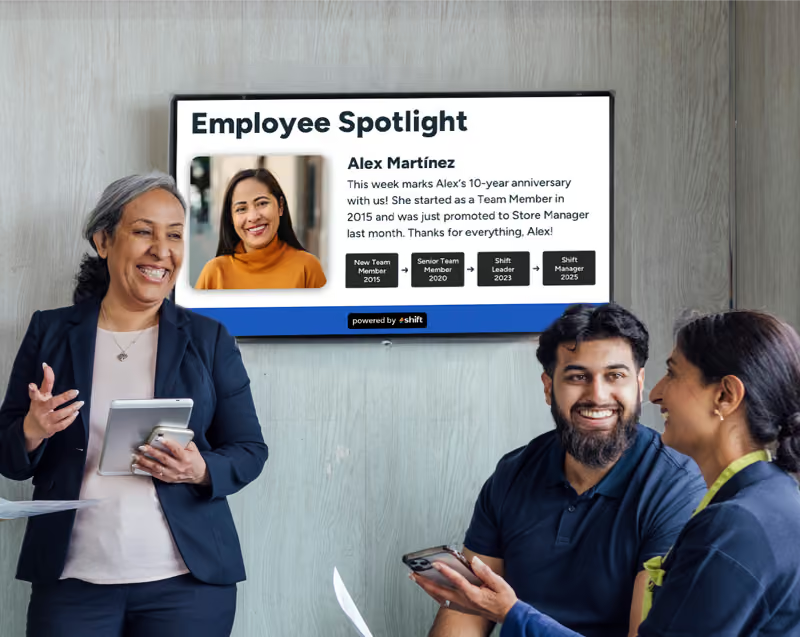
One of the best CMS software applications to choose from is Shift–a content creation platform that allows for easy remote management and its main goal is to help build your business successfully by allowing for better employee engagement. Shift aims to help managers deepen their relationships with their staff members by creating content that can help them feel more appreciated, such as creating and adding employee spotlights, work milestones–plus include company news and events. Shift also uses a special feature called the Content Navigator to allow managers to update their digital signage screens from any device for easy remote management.
2. Yodeck
Many people who are looking into Samsung VXT alternatives may simply be looking for something that is more affordable with better and free features included. Yodeck is also another great option for managers who are looking to boost employee engagement and sales while improving internal communications. This CMS platform helps to make sure that your staff are updated with the most crucial information at any point during the day while also allowing integration between other popular applications–like Asana and Canva–to keep everything in one place. It also comes with thousands of pre-made templates, stock images, and a drag-and-drop editor to help create engaging content in no time at all.
3. ScreenCloud
If you’re a business owner looking for something that is more affordable for your small business, then ScreenCloud is an incredible option worth considering. At only $20 per month, ScreenCloud allows users to manage multiple screens at no extra cost and integrate with other applications your business uses to create an all-in-one interface for content creation about company news, announcements, events, and even highlighting employee successes. It also comes with a unique feature called ScreenCloud Engage–which can essentially be turned into the company social media page that allows employees to upload pictures and make posts to get to know each other better.
4. OptiSigns
Finding a beginner-friendly CMS software application is crucial for many people and while Samsung VXT offers that, it is a very expensive option. OptiSigns is a much more affordable option for managers looking for an easy-to-use interface without the need to learn code and the giant learning curve behind it. This CMS platform is perfect for those just getting into content creation and makes it an easier task by allowing managers to manage live performance metrics on its dashboard with either one or multiple screens. It also helps to create more interactive content with the use of QR codes, motion sensors, and AI cameras.
5. Rise Vision
For many business owners, finding a free CMS platform is nearly impossible–but Rise Vision is just that. Rise Vision is a CMS software application that is completely free to use and even comes with a ton of features that can greatly benefit any type of business in any industry. Users can create content to streamline daily operations, upload employee spotlights and milestones–plus it has remote management capabilities and even pre-made templates to make creating content even easier.
Choose a Samsung VXT Alternative and Make Content Creation More Affordable
Finding the perfect CMS software application can be intimidating, especially for those who are new to content creation, digital signage, and how exactly to go about improving your business with it. Samsung VXT is an incredible option that is perfect for those who are looking to create dynamic and immersive content to increase staff engagement, but it comes with a steep price.
With many alternatives to Samsung VXT available, choose Shift, or another CMS platform to get your content creation journey started and see how it improves staff morale now!