
Walk down the hallway of almost any modern school or university today and you'll notice a definite change in how information is disseminated. Bulletin boards are giving way to screens. Static posters are being replaced by dynamic, rotating content. And increasingly, that content isn't just event reminders or cafeteria menus — it's learning itself.
This convergence of digital signage and microlearning is reshaping how educational institutions deliver information, reinforce classroom instruction, help staff stay up to date, and keep students engaged between formal lessons. As attention spans shrink and student populations grow more digitally native, schools, colleges, and universities are discovering that the screens already installed throughout their buildings can double as powerful, low-cost teaching tools.
But how can your school or university boost engagement with microlearning? That’s exactly why we’re covering:
- What microlearning actually is
- Why it works so effectively
- How digital signage is helping education institutions use it effectively
- A breakdown of the digital signage platform that can promote microlearning and more
Why is Everyone Talking About Microlearning?
The effective way to help students and staff actually retain information

Microlearning is an instructional approach that delivers content in small, focused, standalone units — typically consumable in under five minutes, and often in under sixty seconds. Rather than presenting a learner with a 50-minute lecture or a 30-page chapter, microlearning isolates a single concept, skill, or fact and presents it in a format designed for quick comprehension and retention.
A microlearning unit might be:
- A single vocabulary word with its definition and usage in a sentence
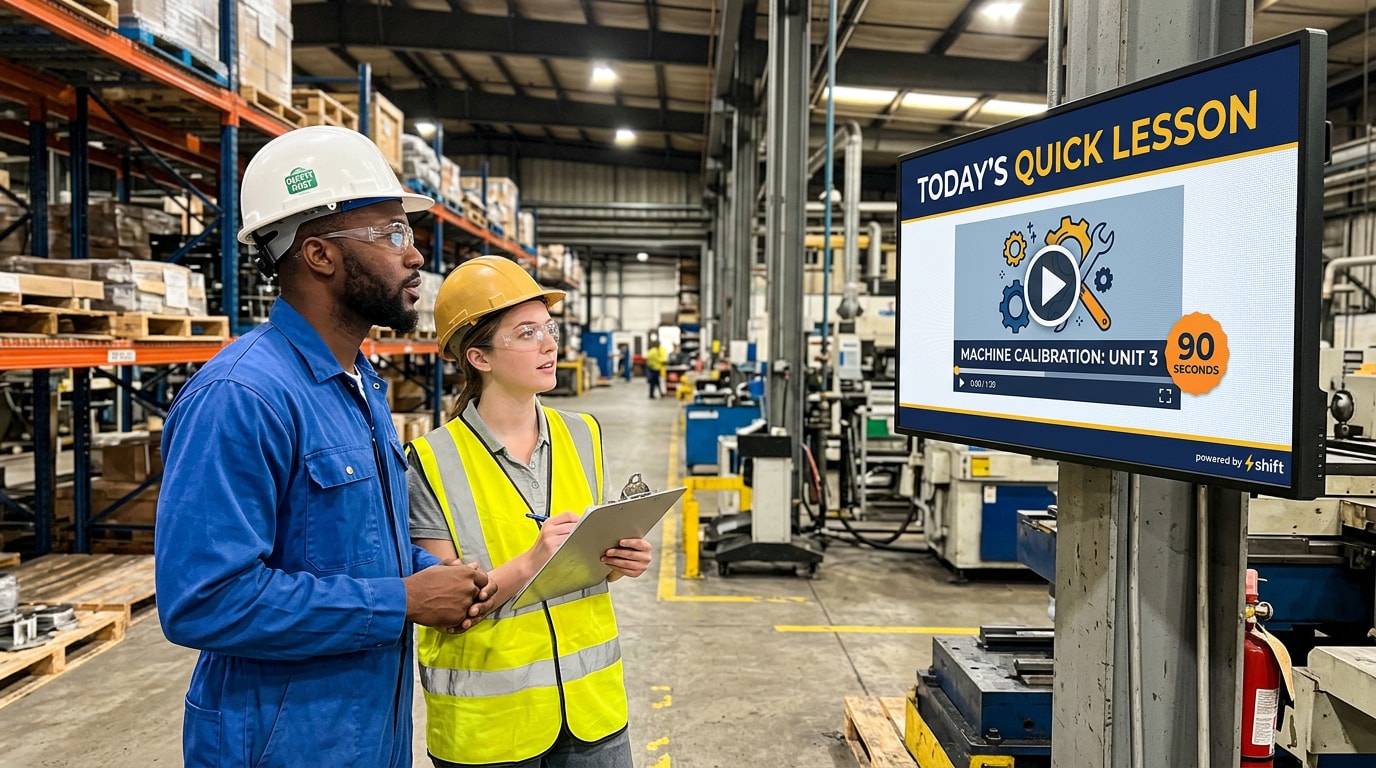
- A 30-second video demonstrating a lab safety procedure
- A one-question quiz reinforcing a math concept from that day's lesson
- An infographic summarizing a historical event's key dates and figures
- A short animation explaining a scientific process, like the water cycle
- Training information or orientation details for staff in bite size pieces
The defining characteristic isn't length alone — it's focus. Each unit targets one learning objective. This is a deliberate departure from traditional instructional design, which often bundles multiple objectives into a single, longer session. Microlearning strips content down to its essential core, making it easier to produce, easier to update, and easier for the brain to absorb and retain.
It's also worth distinguishing microlearning from simply "shorter content." A five-minute video that tries to cram in three unrelated topics isn't microlearning — it's just a condensed lecture. True microlearning is defined by its sole focus: one idea, delivered cleanly, with nothing competing for the learner's attention.
Microlearning isn't meant to replace comprehensive instruction. Instead, it's most effective as a complement: reinforcing what's taught in the classroom, filling knowledge gaps, and keeping information fresh in a learner's mind through repeated exposure over time. Think of it less as a teaching method and more as a retention strategy — one that works alongside whatever core curriculum a school or university already has in place.
What are the Benefits of Microlearning?
Microlearning has gained traction across corporate training, healthcare, and now education for a simple reason: it aligns with how people actually learn and retain information. Here are the core benefits driving its adoption.
1. It works with the brain's natural limits, not against them.
Cognitive load theory tells us that working memory can only hold a limited amount of new information at once. Long-form instruction often overwhelms this capacity, leading to information loss. Microlearning respects these limits by chunking content into digestible pieces, which improves both comprehension and recall.
2. It combats the forgetting curve.
Psychologist Hermann Ebbinghaus's research on memory showed that people forget the majority of new information within days of learning it unless that information is reinforced. Microlearning is uniquely suited to spaced repetition — the practice of revisiting information at increasing intervals to move it into long-term memory. A quick fact repeated on a hallway screen throughout the week does far more for retention than a single classroom mention.
3. It’s easy to fit into a busy day.
Students and educators alike are constantly moving — between classes, during passing periods, in line at the cafeteria. Microlearning content is designed to be consumed in these in-between moments, turning otherwise "dead" time into an opportunity for reinforcement.
4. It's flexible and easy to update.
Because each unit is short and self-contained, content creators can update, swap, or refresh microlearning materials far more easily than a full curriculum unit. This is especially valuable for time-sensitive information — a policy change, an upcoming exam date, or a correction to previously taught material. A single slide can be swapped out in minutes from any device, something that isn't true of a printed poster or a bound textbook chapter.
5. It increases engagement.
Shorter content formats, especially when paired with visuals, video, or interactivity, tend to hold attention better than long-form text or lecture. This is particularly relevant for younger generations of students who have grown up with short-form digital media as a primary information source. When learning content looks and feels like the media students (and educators) already engage with voluntarily, it's far more likely to actually get noticed.
6. It's cost-effective to produce.
Producing a two-minute video or a single infographic requires far fewer resources than producing a full multimedia course. Not to mention digital signage platforms (like Shift) come with useful content templates from the start. This lowers the barrier for teachers, instructional designers, and communications staff to create fresh, relevant content on an ongoing basis — no dedicated production team or big budget required.
7. It scales easily across an institution.
Once a piece of microlearning content is built, it can be pushed to every screen in a building, a district, or a university system simultaneously. A single vocabulary word or safety reminder can reach thousands of students at once, with none of the logistical complexity of rescheduling classes or printing new materials.
Why Microlearning Works So Well in the Education Industry
The principles of microlearning fit easily into the everyday schedules in the education industry

While microlearning has proven valuable across many industries, education presents a particularly ideal environment for it — for a few specific reasons.
- Students are already conditioned for short-form content. Today's students, from elementary schoolers to college undergraduates, have grown up consuming information through short-form video, social media snippets, and quick digital interactions. Microlearning meets students where their attention naturally lives, rather than fighting against it.
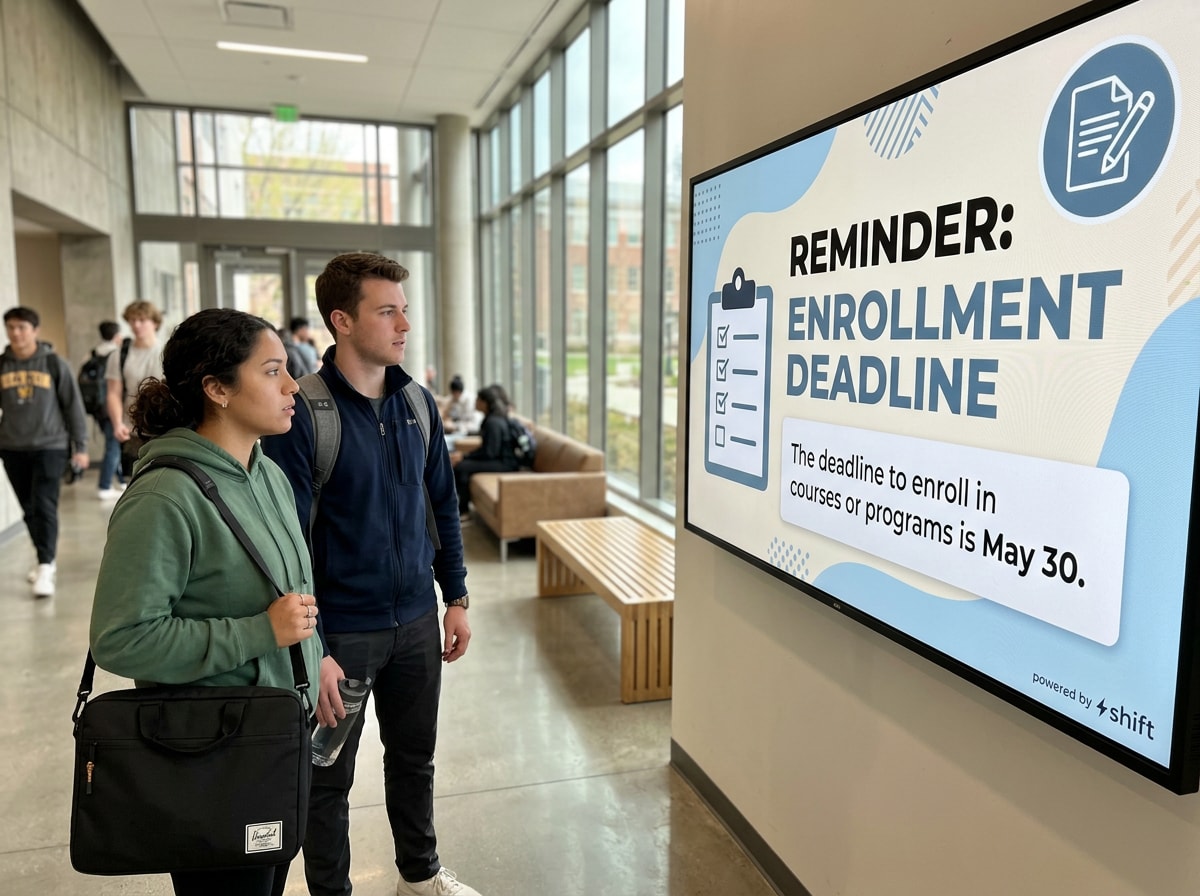
- Schools have built-in "downtime" that traditional teaching can't reach. Hallways, cafeterias, libraries, student lounges, and common areas represent hours of collective student attention every single day that isn't otherwise being used for instruction. Digital signage placed in these high-traffic zones can passively deliver microlearning content to a captive audience without requiring any additional class time.
- Reinforcement is essential to how academic content is structured. Education is inherently cumulative — algebra depends on arithmetic, essay writing depends on grammar, and advanced biology depends on foundational concepts. Microlearning's strength in reinforcing and revisiting previously taught material aligns naturally with how academic curricula are built to stack on prior knowledge.
- It supports differentiated learning paces. Not every student absorbs material at the same speed in the classroom. Microlearning content displayed repeatedly throughout common spaces gives students multiple, low-pressure opportunities to encounter and re-encounter material — helpful for students who need more repetition without singling them out.
- It extends learning beyond the classroom without adding to teacher workload. Once a school has produced microlearning content and set it to display, it requires little ongoing effort from teachers, and can easily be updated. This makes it an efficient way to extend the instructional day without increasing demands on already-stretched educators.
- It supports both academic and non-academic goals simultaneously. Education institutions aren't just responsible for delivering curriculum — they also need to communicate safety procedures, mental health resources, campus policies, and community announcements. Microlearning content on digital signage can serve academic reinforcement and institutional communication side by side, maximizing the value of the same screen real estate.
- Screens offer one slide at a time. Unlike a phone, which is filled with competing notifications and apps, a hallway screen has no competing content. For the few seconds a student glances at it, it has their full attention — a rare and valuable condition for learning that's difficult to replicate elsewhere.
Digital Signage in Action: Microlearning Examples in Education
Digital signage gives schools and universities the delivery mechanism microlearning needs — visible, centrally managed screens placed exactly where students already spend their time. Here's what this looks like in practice across different education settings.
"Word of the Day" and Vocabulary Builders
Elementary and middle schools often use hallway or classroom screens to display a daily vocabulary word, complete with its definition, pronunciation, and an example sentence. Some schools rotate through subject-specific vocabulary — science terms one week, math terms the next — reinforcing language across the curriculum, not just in English class.
Quick Concept Reviews Tied to the Curriculum
Digital signage can display a short, single-question quiz or a one-slide concept recap tied to what's currently being taught in classrooms. A high school might display a quick review of a chemistry concept in the science wing, while the math hallway shows a formula reminder ahead of an exam.
Historical "On This Day" Content
Many schools use signage to display short historical facts tied to the current date — a notable event, invention, or figure connected to that day in history. This turns a simple date-and-time display into a bite-sized history lesson that students absorb passively while walking past.
STEM and Lab Safety Micro-Videos
Science departments frequently use short video loops to reinforce lab safety procedures, proper equipment use, or step-by-step demonstrations of a process, like how to correctly use a Bunsen burner or read a graduated cylinder. These loop in hallways outside labs, reinforcing safety information more effectively than a one-time verbal briefing at the start of the year.
College and University Study Aid Loops
On university campuses, digital signage in libraries, student unions, and academic buildings often displays rotating study aids — key definitions for an upcoming exam, formula sheets, or citation format reminders. Some universities coordinate this content with specific high-enrollment courses, effectively extending the reach of teaching assistants and study groups.
Language Learning Reinforcement
Foreign language departments use signage to display a rotating phrase-of-the-day in the target language, complete with pronunciation guidance and translation. This is a particularly strong microlearning use case because language acquisition relies heavily on repeated exposure over time.
Test Prep and Study Tips
Around standardized testing season, schools use signage to rotate through quick test-taking strategies, time management tips, and stress-reduction techniques — delivering exam preparation support to the entire student body without requiring dedicated class time.
Campus and Career Readiness Micro-Content
High schools and universities also use microlearning-style signage to build "soft skills" — quick tips on resume writing, interview etiquette, financial literacy basics, or college application deadlines. These short, standalone units fit naturally into digital signage rotations alongside academic content.
Faculty and Staff Professional Development
Microlearning through digital signage isn't limited to students. Staff lounges and break rooms can display quick professional development content for teachers — a classroom management tip, a new instructional technology feature, or a policy update — delivered in the same bite-sized format.
Digital Citizenship and Online Safety Tips
As more schoolwork moves online, digital signage is increasingly used to reinforce digital citizenship lessons — brief reminders about password security, recognizing phishing attempts, or responsible social media use. These messages benefit from repetition in the same way academic content does, and hallway screens offer an easy, low-effort channel for ongoing reinforcement.
Use Shift for Microlearning in Educational Institutions
Reinforce critical information with the help of digital signage!
When it comes to a digital signage platform that can help instill microlearning practices in schools and universities, trust the professionals at Shift to make it easy. Shift is designed to be a plug and play content management system, which means all you need to do is log in, connect to your screens, and you can start creating content! There are all kinds of templates to get you started, or you can create on your own. You can update or change the slide rotation from any device, ensuring that students and staff always have access to real-time information and fresh content. In addition to microlearning, you can also create content for digital signs that includes:
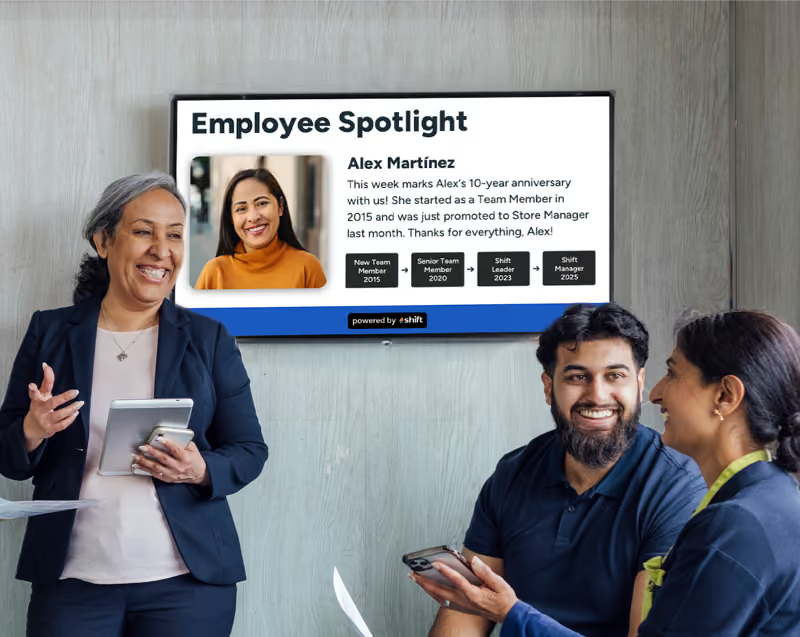
- Employee or student recognition through spotlights, work anniversaries, achievements, and birthdays
- Access to training materials and quick refreshers for staff
- Assisting with onboarding of staff
- Wayfinding throughout the school or campus
- Internal company communications specifically for the student body or staff
- Posting safety or emergency alerts
- Surveys for staff through QR codes
- Real-time information like class and scheduling changes
- Dining hall menus
- Campus-wide events
- Sports and club information for students
For education institutions looking to improve retention, engage digitally native students, and make better use of existing infrastructure, microlearning through digital signage offers a fantastic way to reinforce what's being taught — one screen, one hallway, and one bite-sized lesson at a time.